Departures
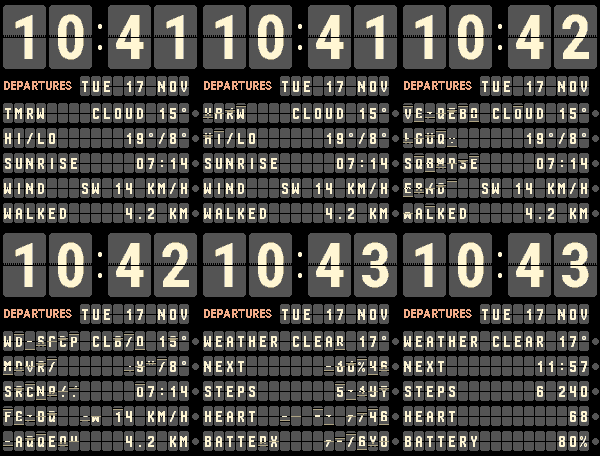
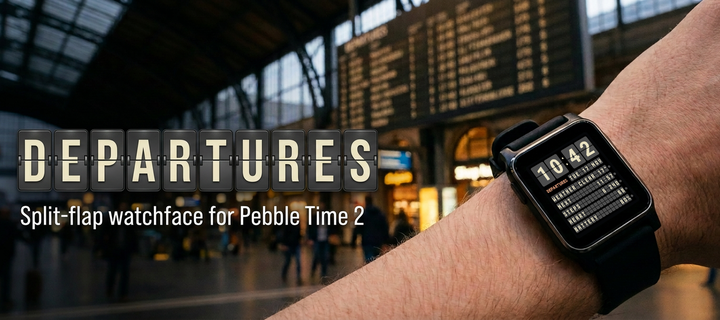
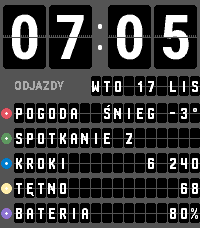
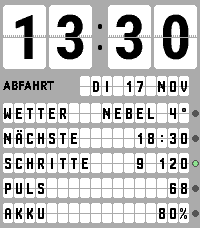
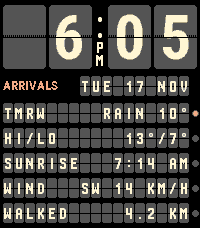
Your day on a split-flap departure board. Four big flaps for the time, the date and five rows below. When the minute changes, only the flaps that change turn over – character by character, one row after another.
Get it in the Pebble app store ☕ Buy me a coffeeFree · version 1.0.0 · made for Pebble Time 2 · weather from Open-Meteo, no account needed
Features
- Turning flapsBig HH:MM on four flaps, 24 h or 12 h with AM/PM. Only the flaps that change turn over.
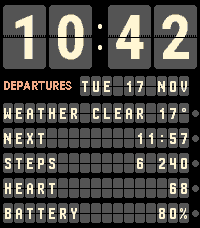
- 10 rows, your choiceFive on the main board, five more after a wrist flick: weather, tomorrow, high/low, sunrise, sunset, wind, steps, distance, heart rate, battery, next event.
- Next calendar eventPaste a private iCal link (Google Calendar, iCloud, Outlook, Nextcloud…) and the board shows your next event, its title turning over in parts.
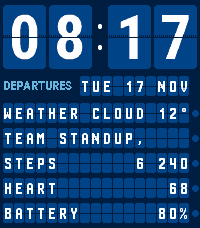
- Four boardsNight Station, Airport, Metro and Day.
- Six languagesEnglish, Polski, Deutsch, Español, Français, Italiano – with accented letters on the flaps.
- Status lampsAmber for rain, snow or storm and an event within 30 minutes; green when you reach your step goal.
- Light on the batteryNo animation in Quiet Time or below 20 % battery; animations can be turned off.
Four boards, six languages
Settings
Open the Pebble app → Departures → Settings.
| Option | Choices | Default |
|---|---|---|
| Board | Night Station, Airport, Metro, Day | Night Station |
| Turning flaps | On, Off | On |
| Board language | Automatic, English, Polski, Deutsch, Español, Français, Italiano | Automatic (watch language) |
| Clock | Automatic, 24-hour, 12-hour (AM/PM) | Automatic |
| Main board rows 1–5 | any row type or empty | Weather, Sunset, Steps, Heart rate, Battery |
| Second board rows 1–5 | any row type or empty | Tomorrow, High/low, Sunrise, Wind, Distance |
| Weather updates | On, Off | On |
| Location | Phone location (GPS), City | GPS |
| Temperature | °C, °F | °C |
| Wind and distance | km/h + km, mph + miles, m/s + km | km/h + km |
| Calendar link (iCal / ICS) | any https or webcal .ics link | empty |
| Show the event title | On, Off | On |
| Daily step goal | 1000–60000 | 8000 |
Privacy
Your location is used only for the weather: the phone sends the coordinates (or the city name you typed) straight to Open-Meteo. No account, no other server, no analytics.
The calendar link stays on your phone. Every 30 minutes the phone downloads the calendar and sends the watch only the start time and title of the next event in the coming 7 days – or only the time, with “Show the event title” off. Steps, distance and heart rate are read on the watch and never leave it.